Agentic workflow

Submit reviewed artifacts for data office teams using agentic workflows

Send approved document records to Power BI, ERP, and reporting workflows with source evidence, validation, and regulator-ready audit history.

Challenge

For data office teams, reviewed outputs often need to move into BI tools and shared systems quickly. Manual handoffs make it hard to prove which version was approved, what evidence supported it, and whether a scheduled export is using trusted data.

When reporting teams depend on document facts, the handoff needs validation and audit state, not just a copied file.

Book a demo
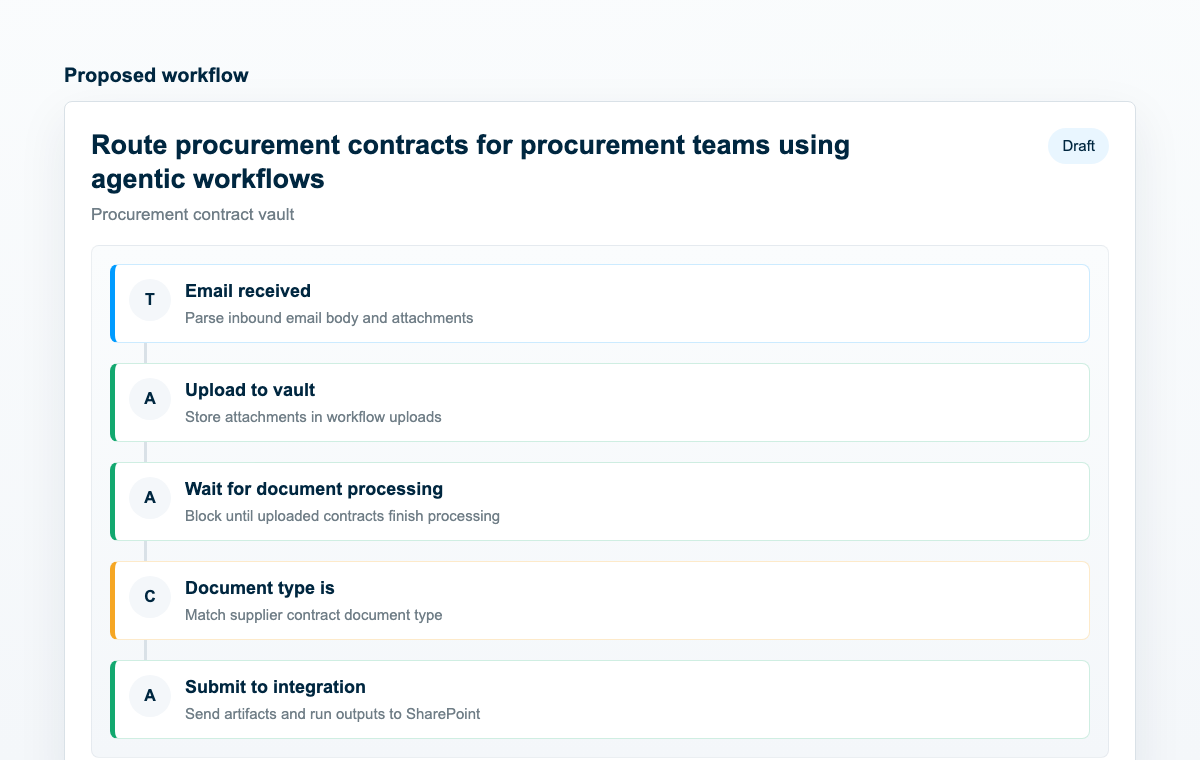
Workflow preview for submitting reviewed data office artifacts

Workflow preview

Challenge

Where work slows down

For data office teams, reviewed outputs often need to move into BI tools and shared systems quickly. Manual handoffs make it hard to prove which version was approved, what evidence supported it, and whether a scheduled export is using trusted data.

When reporting teams depend on document facts, the handoff needs validation and audit state, not just a copied file.

TextMine workflow

How TextMine helps

TextMine packages reviewed artifacts, confirms review conditions, and sends approved outputs to connected destinations with the supporting context preserved. For reporting teams, this creates a cleaner path to Power BI-ready document data.

Data teams can use the same workflow to support dashboards, PDF exports, evidence packs, and downstream system updates.

Execution time
4-6 min
Estimated time saved
3-5 hrs per run
Estimated from the workflow pattern, including intake, review, routing, output generation, and downstream handoff.

Workflow design

Steps and key blocks

Each workflow page maps the business process to reusable TextMine actions, reviewers, and connected systems.

Workflow pattern

  • Trigger from a completed review, approved report, or manually selected workflow run.
  • Generate reports or apply playbooks against the latest document evidence.
  • Route exceptions to owners before delivery when confidence or policy conditions require it.
  • Submit reviewed artifacts to SharePoint, ServiceNow, Power BI, or connected systems.

Reporting outputs

  • Validated record exports for dashboards and analytics teams
  • Audit-ready artifacts with source documents and reviewer state
  • Exception reports for failed syncs, missing fields, or stale evidence

Key blocks

  • Apply playbook, Custom report, Report from template
  • Submit to integration, Request approval, Add reviewer or assignee
  • Confidence, Document published, Send email, BI export from reviewed document data

See it live

See this workflow in TextMine

Book a demo to map this workflow to your documents, systems, and controls.

Book a demo