[
Solution
]

How to publish approved TextMine Records into BI dashboards?

Automate Power BI-ready reports by exporting approved document records into BI dashboards, PDF reports, and governed reporting workflows with source evidence.
When Power BI reporting needs governed document data

Power BI dashboards are only useful when the underlying facts are trusted. For document-heavy operations, that means obligations, dates, owners, risks, values, approvals, and evidence status should be reviewed before they reach a report.

TextMine helps teams automate Power BI reports by turning approved document facts into governed records that can feed dashboards, scheduled exports, and PDF reporting packs.

  • Contract obligations and renewal dates
  • Supplier risk and compliance evidence
  • Credit monitoring and portfolio review facts
  • Regulatory remediation and control status
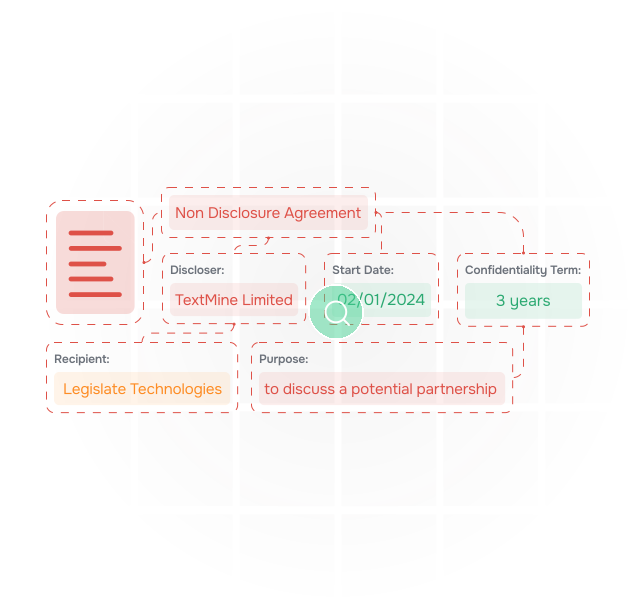
An illustration of data being extracted from documents

Prepare records before a scheduled export

A reliable Power BI scheduled export starts before the export job runs. Playbooks can require source links, reviewer approval, confidence thresholds, field validation, and refresh cadence before a value is available for reporting.

For recurring report runs, use governed finance records to standardize the facts and submit reviewed finance artifacts when reports, files, or downstream systems need the same approved context.

an illustration of documents

Route exceptions before reports are generated

Missing owners, stale evidence, failed syncs, and low-confidence values should not quietly move into executive dashboards. Workflows can route those exceptions before reporting snapshots are created.

If a Power BI export to PDF or dashboard refresh depends on document evidence, route exceptions to the right reviewer first, then send approved outputs through reviewed document data exports for BI tools.

an illustration of vault extracting data from contracts and answering questions about them

Related BI and reporting workflows

Use these workflow patterns when BI reporting needs source-linked document evidence instead of manual spreadsheet assembly.

For broader orchestration patterns, see document workflow automation.

Select fields
Choose report-ready obligations, risks, dates, owners, and statuses.
Validate evidence
Require source links, confidence checks, and reviewer approval.
Route exceptions
Resolve stale, missing, or low-confidence data before export.
Publish Power BI
Send approved records into dashboards and PDF exports.
Monitor refresh
Track scheduled export, sync, and report generation status.
Explain values
Link dashboard numbers back to source documents.
Reuse outputs
Feed audit packs, stakeholder updates, and downstream systems.
Select fields
Choose report-ready obligations, risks, dates, owners, and statuses.
Validate evidence
Require source links, confidence checks, and reviewer approval.
Route exceptions
Resolve stale, missing, or low-confidence data before export.
Publish Power BI
Send approved records into dashboards and PDF exports.
Monitor refresh
Track scheduled export, sync, and report generation status.
Explain values
Link dashboard numbers back to source documents.
Reuse outputs
Feed audit packs, stakeholder updates, and downstream systems.

Related BI and reporting workflows

Use these workflow patterns when BI reporting needs source-linked document evidence instead of manual spreadsheet assembly.

For broader orchestration patterns, see document workflow automation.

Select fields
Choose report-ready obligations, risks, dates, owners, and statuses.
Validate evidence
Require source links, confidence checks, and reviewer approval.
Route exceptions
Resolve stale, missing, or low-confidence data before export.
Publish Power BI
Send approved records into dashboards and PDF exports.
Monitor refresh
Track scheduled export, sync, and report generation status.
Explain values
Link dashboard numbers back to source documents.
Reuse outputs
Feed audit packs, stakeholder updates, and downstream systems.
Select fields
Choose report-ready obligations, risks, dates, owners, and statuses.
Validate evidence
Require source links, confidence checks, and reviewer approval.
Route exceptions
Resolve stale, missing, or low-confidence data before export.
Publish Power BI
Send approved records into dashboards and PDF exports.
Monitor refresh
Track scheduled export, sync, and report generation status.
Explain values
Link dashboard numbers back to source documents.
Reuse outputs
Feed audit packs, stakeholder updates, and downstream systems.

Map TextMine to your document workflow

Tell us what you are trying to review, extract, route, or report on. We will show which TextMine products fit your process, from Workbench and Vault through Workflows, Records, Playbooks, and Integrations.

Thank you! Your submission has been received!
Oops! Something went wrong while submitting the form.