[
Solution
]

How to redline NDAs against a playbook?

Use a clause playbook to review NDAs consistently, propose redlines in Word, and keep every comment tied to source evidence.
Turn NDA review guidance into repeatable redlines

NDA review often depends on experienced reviewers remembering the same fallback positions, risk tolerances, and escalation rules across hundreds of similar documents. TextMine helps legal teams convert approved guidance, master templates, and policy language into reusable Playbooks that can be applied to third-party paper.

The platform can infer review rules from the playbook text, compare incoming clauses against the approved position, and surface issues such as missing confidentiality carve-outs, overbroad residuals language, unusual term lengths, non-standard assignment rights, and weak return-or-destruction obligations.

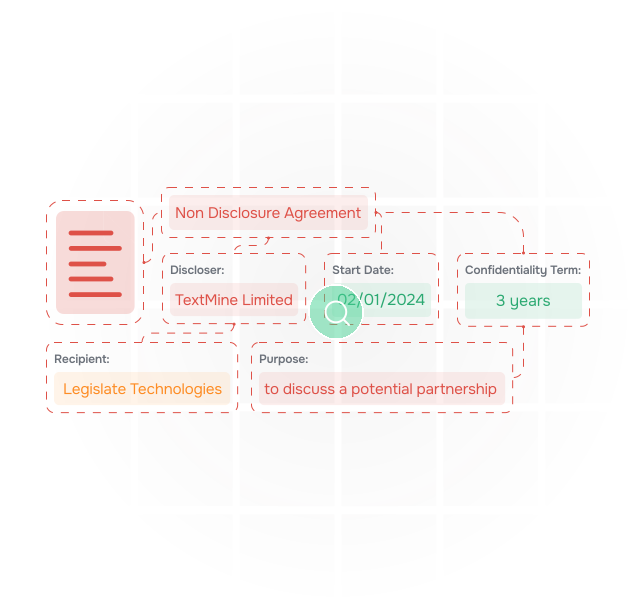
An illustration of data being extracted from documents

Redline and comment directly in Word

When a clause needs a change, TextMine can produce Word redlines and comments directly in the document. Reviewers can see the suggested drafting change, the underlying playbook rule, the reason for the issue, and the evidence that supports the recommendation.

This helps legal teams reduce manual mark-up cycles while preserving lawyer control. The reviewer can accept, reject, or edit the proposed position before the draft goes back to the counterparty.

an illustration of documents

Connect NDA review to evidence and workflows

Playbook findings can feed Workflows for escalation, approval, and handoff. For example, a non-standard governing law clause can route to regional counsel, while a high-risk confidentiality carve-out can route to information security or compliance.

Accepted positions can also update governed Records, giving the business a searchable view of signed NDA obligations, deviations, and evidence links.

an illustration of vault extracting data from contracts and answering questions about them

What good looks like

An audit-ready NDA review process should show what was reviewed, which playbook rule applied, what drafting change was proposed, who approved the position, and where the final clause lives in the signed document. TextMine brings those pieces together across Workbench, Playbooks, Workflows, and Records.

Review against approved positions
Compare third-party NDAs to playbook rules, fallback language, and master templates.
Generate Word redlines
Create comments and tracked changes directly in Word for faster legal review.
Explain every issue
Link each recommendation to the rule, source clause, and reason for escalation.
Route exceptions
Send unusual positions to counsel, compliance, security, or business owners.
Preserve reviewer control
Let legal accept, reject, or edit every suggested redline before release.
Update records
Capture signed positions, deviations, and obligations as source-linked records.
Measure consistency
Track recurring negotiation issues and improve the playbook over time.
Review against approved positions
Compare third-party NDAs to playbook rules, fallback language, and master templates.
Generate Word redlines
Create comments and tracked changes directly in Word for faster legal review.
Explain every issue
Link each recommendation to the rule, source clause, and reason for escalation.
Route exceptions
Send unusual positions to counsel, compliance, security, or business owners.
Preserve reviewer control
Let legal accept, reject, or edit every suggested redline before release.
Update records
Capture signed positions, deviations, and obligations as source-linked records.
Measure consistency
Track recurring negotiation issues and improve the playbook over time.

What good looks like

An audit-ready NDA review process should show what was reviewed, which playbook rule applied, what drafting change was proposed, who approved the position, and where the final clause lives in the signed document. TextMine brings those pieces together across Workbench, Playbooks, Workflows, and Records.

Review against approved positions
Compare third-party NDAs to playbook rules, fallback language, and master templates.
Generate Word redlines
Create comments and tracked changes directly in Word for faster legal review.
Explain every issue
Link each recommendation to the rule, source clause, and reason for escalation.
Route exceptions
Send unusual positions to counsel, compliance, security, or business owners.
Preserve reviewer control
Let legal accept, reject, or edit every suggested redline before release.
Update records
Capture signed positions, deviations, and obligations as source-linked records.
Measure consistency
Track recurring negotiation issues and improve the playbook over time.
Review against approved positions
Compare third-party NDAs to playbook rules, fallback language, and master templates.
Generate Word redlines
Create comments and tracked changes directly in Word for faster legal review.
Explain every issue
Link each recommendation to the rule, source clause, and reason for escalation.
Route exceptions
Send unusual positions to counsel, compliance, security, or business owners.
Preserve reviewer control
Let legal accept, reject, or edit every suggested redline before release.
Update records
Capture signed positions, deviations, and obligations as source-linked records.
Measure consistency
Track recurring negotiation issues and improve the playbook over time.

Watch a video of Vault extract data from documents

How to get started with Vault

To see how Vault performs on your use document data extraction use case, book a demo with a member of our team using the following form.

Thank you! Your submission has been received!
Oops! Something went wrong while submitting the form.