[
Solution
]

How to find client onboarding document gaps?

Detect missing mandates, tax forms, IDs, authority documents, suitability evidence, and policy approvals across client onboarding files.
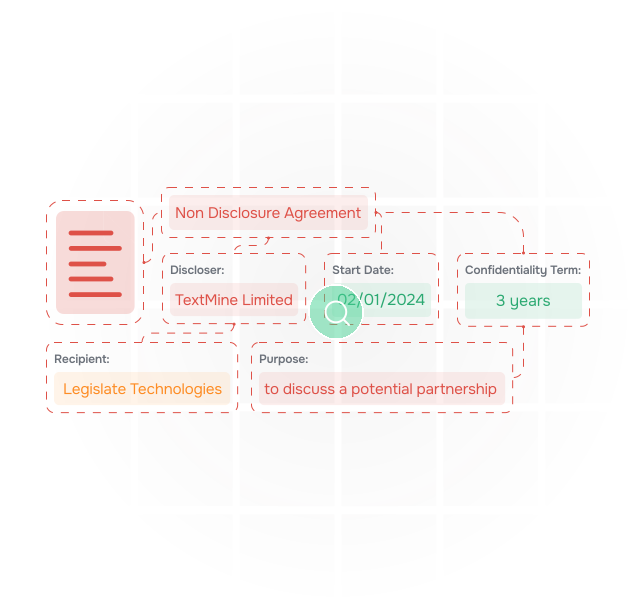
Turn onboarding packs into a checklist with evidence

Client onboarding often spans forms, emails, uploaded files, tax documents, mandates, authority evidence, and suitability questionnaires. TextMine helps teams identify what is present, what is missing, and which source supports each answer.

An illustration of data being extracted from documents

Apply requirements by client type

Playbooks can vary requirements for individuals, corporates, funds, trusts, regulated entities, and high-risk clients so analysts review against the right standard.

an illustration of documents

Route blockers quickly

Workflows can send missing signatures, expired IDs, incomplete tax forms, and unclear authority evidence to operations, compliance, legal, or front-office owners.

an illustration of vault extracting data from contracts and answering questions about them

Create a clean audit trail

Records can show the onboarding status, evidence completeness, exceptions, reviewer decisions, and date of approval.

Identify requirements
Set the expected documents by client type and risk level.
Scan the file
Find forms, IDs, mandates, tax evidence, and approvals.
Highlight gaps
Show missing, expired, or conflicting evidence.
Assign follow-up
Route blockers to the right onboarding owner.
Record exceptions
Capture approved deviations and rationale.
Sync status
Send reviewed values to operational systems.
Evidence approval
Retain source documents and reviewer history.
Identify requirements
Set the expected documents by client type and risk level.
Scan the file
Find forms, IDs, mandates, tax evidence, and approvals.
Highlight gaps
Show missing, expired, or conflicting evidence.
Assign follow-up
Route blockers to the right onboarding owner.
Record exceptions
Capture approved deviations and rationale.
Sync status
Send reviewed values to operational systems.
Evidence approval
Retain source documents and reviewer history.

Create a clean audit trail

Records can show the onboarding status, evidence completeness, exceptions, reviewer decisions, and date of approval.

Identify requirements
Set the expected documents by client type and risk level.
Scan the file
Find forms, IDs, mandates, tax evidence, and approvals.
Highlight gaps
Show missing, expired, or conflicting evidence.
Assign follow-up
Route blockers to the right onboarding owner.
Record exceptions
Capture approved deviations and rationale.
Sync status
Send reviewed values to operational systems.
Evidence approval
Retain source documents and reviewer history.
Identify requirements
Set the expected documents by client type and risk level.
Scan the file
Find forms, IDs, mandates, tax evidence, and approvals.
Highlight gaps
Show missing, expired, or conflicting evidence.
Assign follow-up
Route blockers to the right onboarding owner.
Record exceptions
Capture approved deviations and rationale.
Sync status
Send reviewed values to operational systems.
Evidence approval
Retain source documents and reviewer history.

Map TextMine to your document workflow

Tell us what you are trying to review, extract, route, or report on. We will show which TextMine products fit your process, from Workbench and Vault through Workflows, Records, Playbooks, and Integrations.

Thank you! Your submission has been received!
Oops! Something went wrong while submitting the form.