[
Solution
]

How to connect Workbench review outputs to iManage?

Review legal documents in Workbench, store approved summaries, update matter records, and preserve source-linked outputs in iManage workflows.
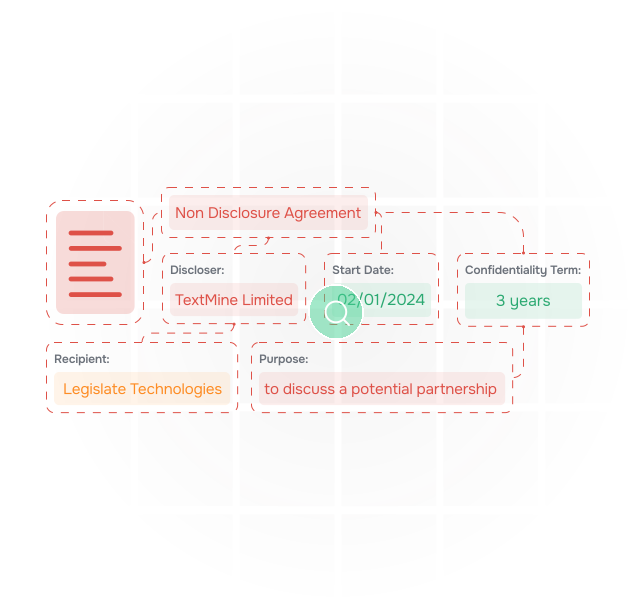
Bridge legal review and document management

Legal teams often keep source documents in iManage while review findings live in notes, spreadsheets, or email. TextMine can extract findings in Workbench and connect approved outputs back to matter records.

An illustration of data being extracted from documents

Keep summaries tied to source documents

Records can store approved clause positions, issue summaries, obligations, and risk flags with references back to source files.

an illustration of documents

Route review decisions

Workflows can assign privilege checks, contract deviations, matter triage, and approval tasks to legal owners.

an illustration of vault extracting data from contracts and answering questions about them

Support matter knowledge reuse

Integrations can preserve reviewed outputs so future matters start from searchable, source-backed legal knowledge.

Connect files
Use source documents from legal matter workspaces.
Review in Workbench
Extract clauses, issues, obligations, and sensitive content.
Approve outputs
Route findings to legal reviewers.
Create records
Store source-backed summaries and decisions.
Update DMS
Preserve reviewed outputs in document workflows.
Search reuse
Make approved findings reusable for similar matters.
Audit review
Keep source files and decisions connected.
Connect files
Use source documents from legal matter workspaces.
Review in Workbench
Extract clauses, issues, obligations, and sensitive content.
Approve outputs
Route findings to legal reviewers.
Create records
Store source-backed summaries and decisions.
Update DMS
Preserve reviewed outputs in document workflows.
Search reuse
Make approved findings reusable for similar matters.
Audit review
Keep source files and decisions connected.

Support matter knowledge reuse

Integrations can preserve reviewed outputs so future matters start from searchable, source-backed legal knowledge.

Connect files
Use source documents from legal matter workspaces.
Review in Workbench
Extract clauses, issues, obligations, and sensitive content.
Approve outputs
Route findings to legal reviewers.
Create records
Store source-backed summaries and decisions.
Update DMS
Preserve reviewed outputs in document workflows.
Search reuse
Make approved findings reusable for similar matters.
Audit review
Keep source files and decisions connected.
Connect files
Use source documents from legal matter workspaces.
Review in Workbench
Extract clauses, issues, obligations, and sensitive content.
Approve outputs
Route findings to legal reviewers.
Create records
Store source-backed summaries and decisions.
Update DMS
Preserve reviewed outputs in document workflows.
Search reuse
Make approved findings reusable for similar matters.
Audit review
Keep source files and decisions connected.

Map TextMine to your document workflow

Tell us what you are trying to review, extract, route, or report on. We will show which TextMine products fit your process, from Workbench and Vault through Workflows, Records, Playbooks, and Integrations.

Thank you! Your submission has been received!
Oops! Something went wrong while submitting the form.