[
Solution
]

How to automate policy exception reviews?

Policy exception reviews require consistent evidence, clear ownership, approval routing, and defensible decisions. TextMine helps compliance teams extract exception requests, impacted policies, control references, dates, risk ratings, and reviewer decisions from documents and messages.
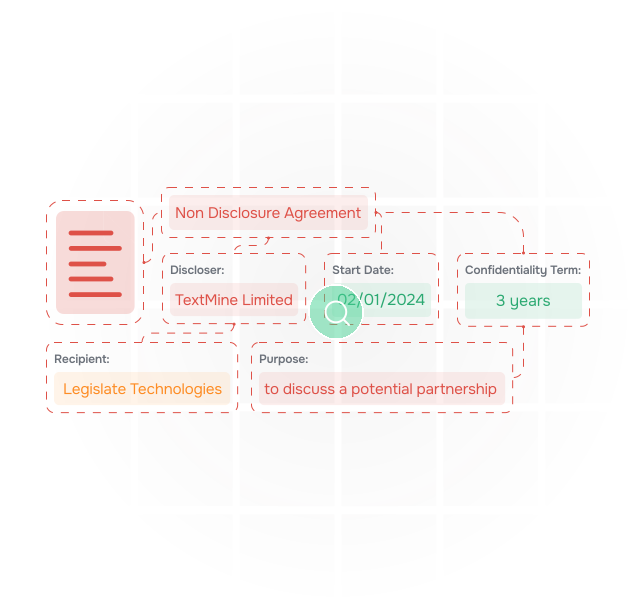
What is a policy exception review?

A policy exception review determines whether a team can depart from an approved policy, control, template, or operating standard. The review normally needs the requested exception, justification, risk impact, expiry date, and approval owner.

TextMine uses Vault to extract the facts and Workflows to route review decisions.

An illustration of data being extracted from documents

Why are exception reviews inconsistent?

Exception evidence often arrives in emails, PDFs, control documents, and spreadsheets. Reviewers need to understand the policy baseline, the proposed deviation, and whether compensating controls exist. Without a repeatable process, decisions become hard to audit.

Playbooks can encode the review criteria so exceptions are evaluated consistently.

an illustration of documents

How does TextMine automate exception review?

Vault extracts exception facts and source evidence. Playbooks classify the request against policy rules. Workflows route approvals, expiry reminders, and missing evidence. Records store the approved exception and audit history.

This gives compliance teams a structured exception register instead of a buried inbox.

an illustration of vault extracting data from contracts and answering questions about them

Example exception evidence

The business requests a temporary exception to the supplier onboarding policy for a critical vendor, valid for ninety days, subject to completion of enhanced monitoring and monthly owner attestation.

Exception type
Temporary supplier onboarding exception
Expiry
90 days
Compensating control
Enhanced monitoring and monthly attestation
Approval route
Compliance owner workflow
Exception type
Temporary supplier onboarding exception
Expiry
90 days
Compensating control
Enhanced monitoring and monthly attestation
Approval route
Compliance owner workflow

Example exception evidence

The business requests a temporary exception to the supplier onboarding policy for a critical vendor, valid for ninety days, subject to completion of enhanced monitoring and monthly owner attestation.

Exception type
Temporary supplier onboarding exception
Expiry
90 days
Compensating control
Enhanced monitoring and monthly attestation
Approval route
Compliance owner workflow
Exception type
Temporary supplier onboarding exception
Expiry
90 days
Compensating control
Enhanced monitoring and monthly attestation
Approval route
Compliance owner workflow

Watch a video of Vault extract data from documents

How to get started with Vault

To see how Vault performs on your use document data extraction use case, book a demo with a member of our team using the following form.

Thank you! Your submission has been received!
Oops! Something went wrong while submitting the form.