[
Solution
]

How to automate data entry from PDFs?

Extract structured data from PDFs without relying on copy-paste, spreadsheet trackers, or manual review queues. TextMine turns PDF facts into reviewed records and workflows.
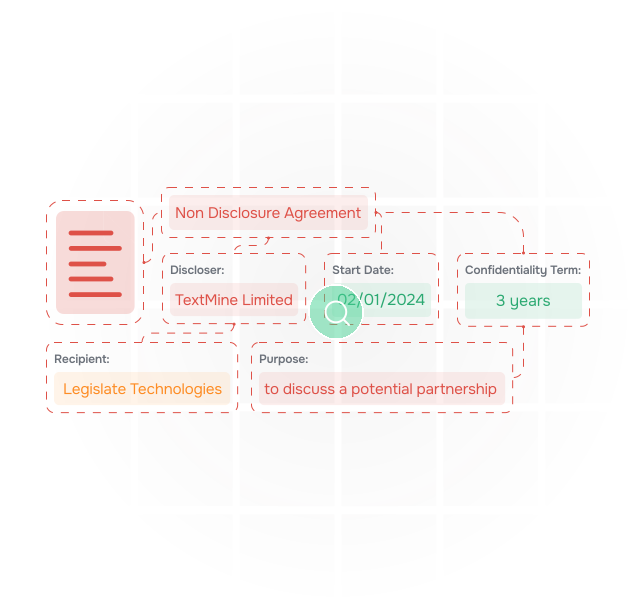
Why automate data entry from PDFs?

PDFs are still the container for contracts, statements, supplier evidence, credit files, policies, reports, and signed forms. Teams need the data inside those files without losing the source context.

An illustration of data being extracted from documents

What should be captured?

Useful PDF automation captures the field value, source page, evidence snippet, confidence, document version, and review state. TextMine keeps these details together so values can be trusted.

an illustration of documents

How does TextMine handle PDF review?

Vault extracts the relevant fields, Workbench gives reviewers a place to inspect the evidence, and Workflows route missing or uncertain values before records are created.

an illustration of vault extracting data from contracts and answering questions about them

Example PDF workflow

A credit operations team extracts borrower, facility, covenant, collateral, and approval data from PDF packs before updating monitoring records.

Source format
PDF documents and scanned packs
Extraction target
Fields, clauses, tables, dates, amounts
Evidence needed
Page, snippet, confidence, version
Review surface
Workbench evidence inspection
Workflow trigger
Missing, conflicting, or low-confidence data
Final record
Approved value with source link
Downstream use
Reporting, monitoring, system updates
Source format
PDF documents and scanned packs
Extraction target
Fields, clauses, tables, dates, amounts
Evidence needed
Page, snippet, confidence, version
Review surface
Workbench evidence inspection
Workflow trigger
Missing, conflicting, or low-confidence data
Final record
Approved value with source link
Downstream use
Reporting, monitoring, system updates

Example PDF workflow

A credit operations team extracts borrower, facility, covenant, collateral, and approval data from PDF packs before updating monitoring records.

Source format
PDF documents and scanned packs
Extraction target
Fields, clauses, tables, dates, amounts
Evidence needed
Page, snippet, confidence, version
Review surface
Workbench evidence inspection
Workflow trigger
Missing, conflicting, or low-confidence data
Final record
Approved value with source link
Downstream use
Reporting, monitoring, system updates
Source format
PDF documents and scanned packs
Extraction target
Fields, clauses, tables, dates, amounts
Evidence needed
Page, snippet, confidence, version
Review surface
Workbench evidence inspection
Workflow trigger
Missing, conflicting, or low-confidence data
Final record
Approved value with source link
Downstream use
Reporting, monitoring, system updates

Map TextMine to your document workflow

Tell us what you are trying to review, extract, route, or report on. We will show which TextMine products fit your process, from Workbench and Vault through Workflows, Records, Playbooks, and Integrations.

Thank you! Your submission has been received!
Oops! Something went wrong while submitting the form.